For travel
AI-generated travel photos, made from your own photos.
Upload 4–8 photos of yourself and describe the place and the look you want in plain words. Then refine it until it's right. You approve every photo you keep. Every photo is AI-generated, and we say so.
These photos show a scene the AI made. They don't show a place you were photographed.
$59 per session · no subscription · 14-day refund
What makes a good travel-style photo?
You first, the place second.
Make your face clear and easy to see. The setting gives the photo its mood but shouldn't take it over.
Describe a kind of place.
"A harbour at golden hour" or "a mountain trail in autumn" works better than a famous landmark, and it doesn't suggest you visited a specific spot.
Dress for the scene.
A linen shirt by the sea, a jacket on a cold trail. The clothes make the scene believable.
Natural light.
Ask for the time of day: morning light, late afternoon, or overcast.
Label it.
If someone could take the photo as a record of a trip, say it's AI-generated.
Photo in. AI-generated photo out.
How does FreshFrame make a travel-style photo from my photos?
Upload 4–8 photos of yourself and describe the place and the look you want in plain words.
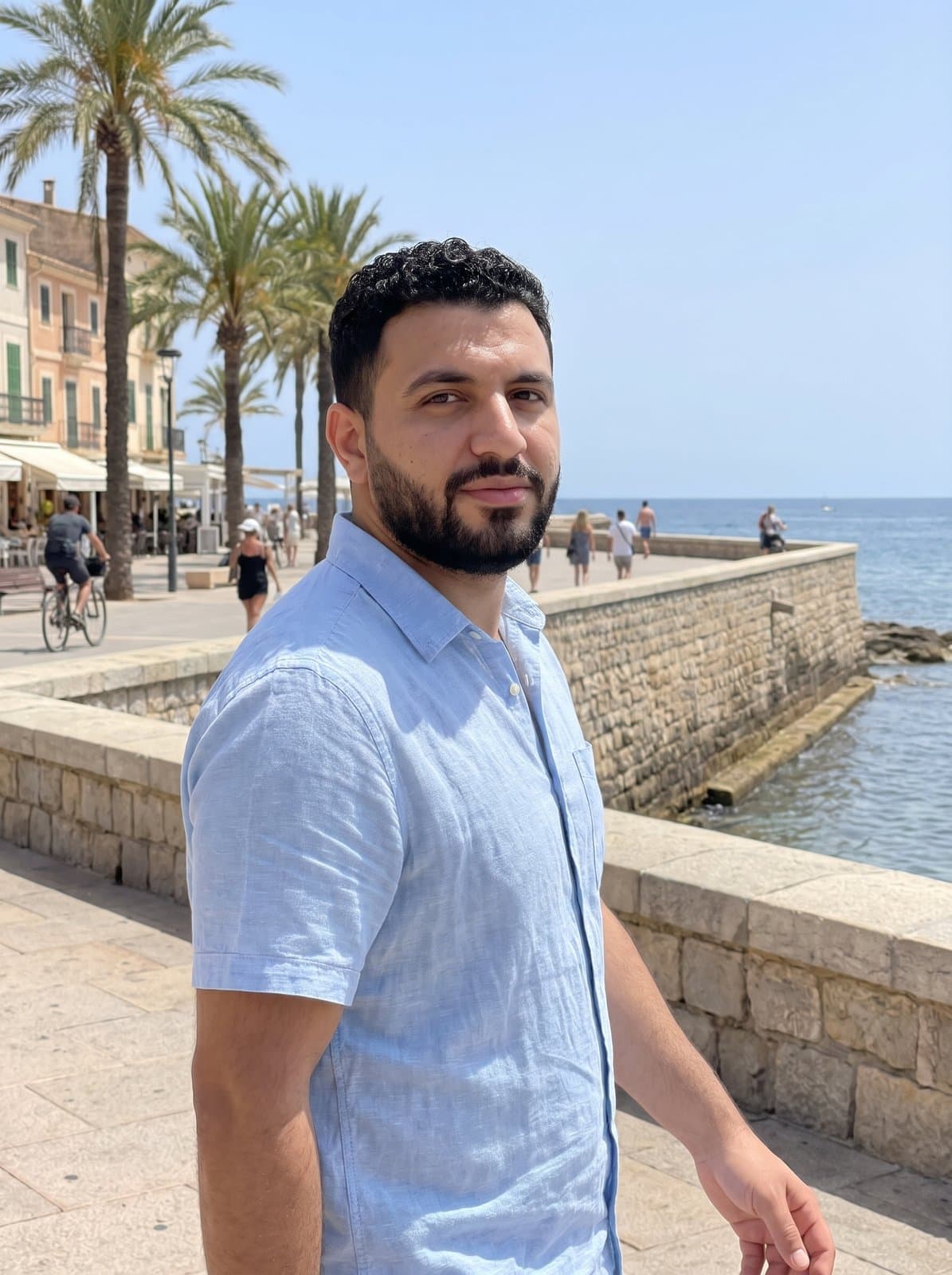
What was asked for:
“Standing by a harbour wall at golden hour, linen shirt, boats behind, looking at the camera.”
This person is invented, not a customer, and both photos are AI-generated. It's one example; results vary. Your session starts from your own photos.

Where travel-style photos fit
Where can I use an AI-generated travel-style photo?
- A profile header or cover image.
- A wide outdoor scene works well where a backdrop is expected.
- A change of scene for your profile picture.
- Try an outdoor look when you want something other than a plain wall. If people could read it as a place you've been, say it's AI-generated.
- Picturing a trip.
- See a look or a setting before you travel. This doesn't replace photos from the trip itself.
Questions about AI-generated travel-style photos
- Can I post these as real trip photos?
- No. Every photo is AI-generated, and you weren't photographed at the place it shows. Don't present one as a photo from a trip. Where people could take it as a record of where you've been, for example on a dating profile or in a travel post, say that it's AI-generated. Some platforms also ask you to label AI-generated images, so follow their rules.
- Can I name a specific place?
- You can, but we suggest a kind of place instead. A named landmark makes the photo look like a record of a real trip. Describe a kind of place, such as "a white-walled seaside town" or "a pine forest lake." Then ask for changes until it's right.
- What does a session include?
- $59 per session, paid once, with no subscription. You upload 4–8 of your own photos, describe the photos you want, get up to 60 rounds of changes, and keep up to 10 at full resolution. You approve every photo you keep. Upload only photos of yourself, and only if you're 18 or older. Before you upload, you'll agree to how we use your photos. We delete them 30 days after your most recent purchase.
- Are the photos AI-generated?
- Yes, every one. They're made from your own photos with Google's Gemini image model. Google adds an invisible SynthID watermark to the images its model makes.
- Can I get a refund?
- Yes. Email us within 14 days of purchase for a full refund. No reason needed. See the Refunds page.
Not sure which photos to upload? Read the photo upload guide. Not sure what to write? Read how to describe your photo.
Make your travel-style photo
Upload your photos, describe the scene you want, and keep the ones you approve.